Webflow or custom code? It’s the wrong question.

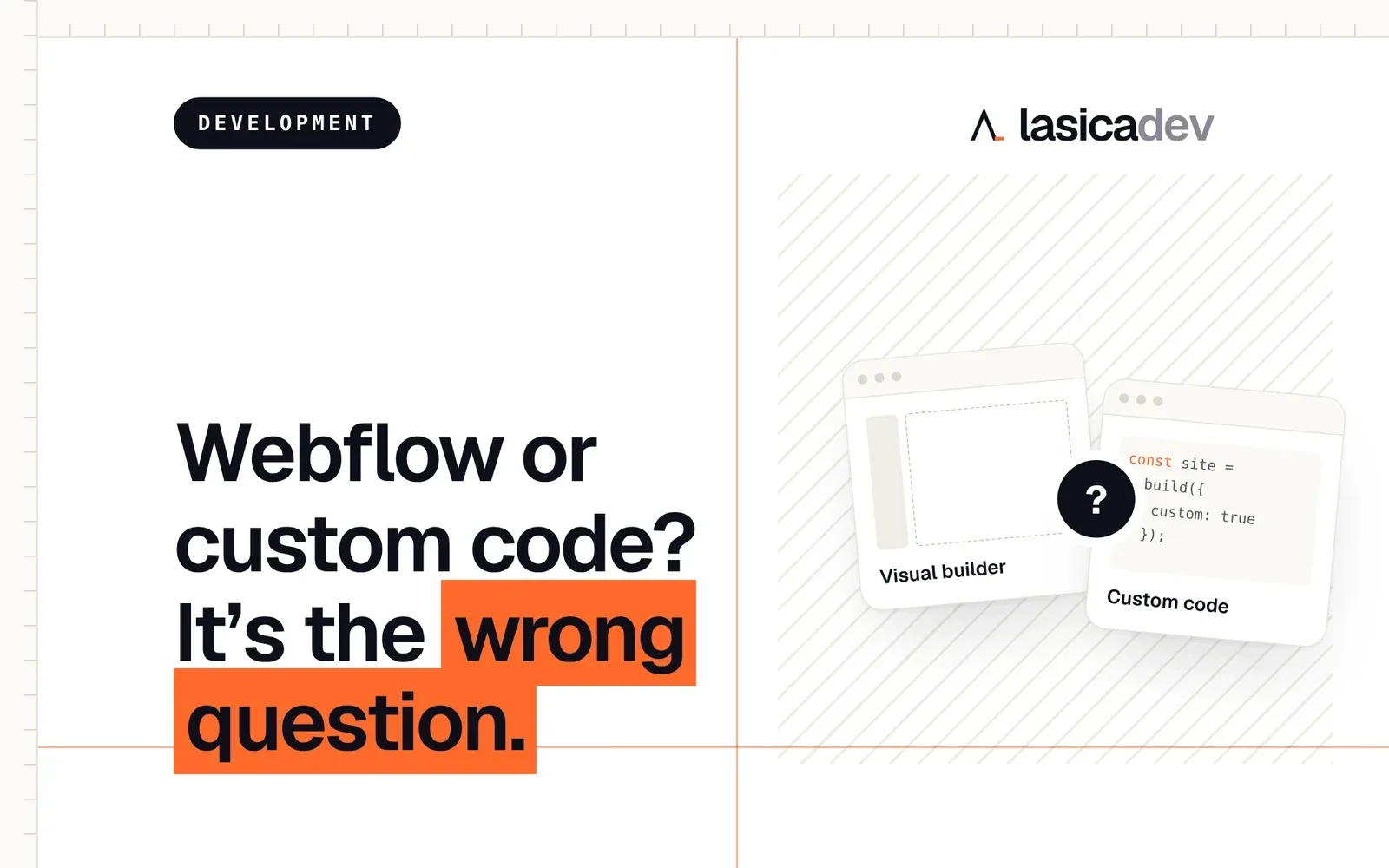
“Should we build in Webflow or custom code?” I hear this a lot. The honest answer: it depends on what your business needs, not on which tool is trendy.
I build sites both ways. Some in Webflow, some in code. Clients rarely care which one I use once the site is live. They care whether it brings in work, whether they can update it, and how much it costs to keep running. So that’s where the decision should start.
Why it’s the wrong question
Choosing a tool first is like choosing a hammer before you know whether you’re hanging a picture or building a house. Both tools are good. Neither is right for everything.
When a business starts with the tool, it usually ends up in one of two places. Either it has a site that’s hard to update, so it goes stale, or it has a site that can’t do what the business needs, so it gets rebuilt a year later. Both are expensive. Both are avoidable.
The better approach is to answer a few questions about your business first. The tool usually picks itself after that.
Start with three questions
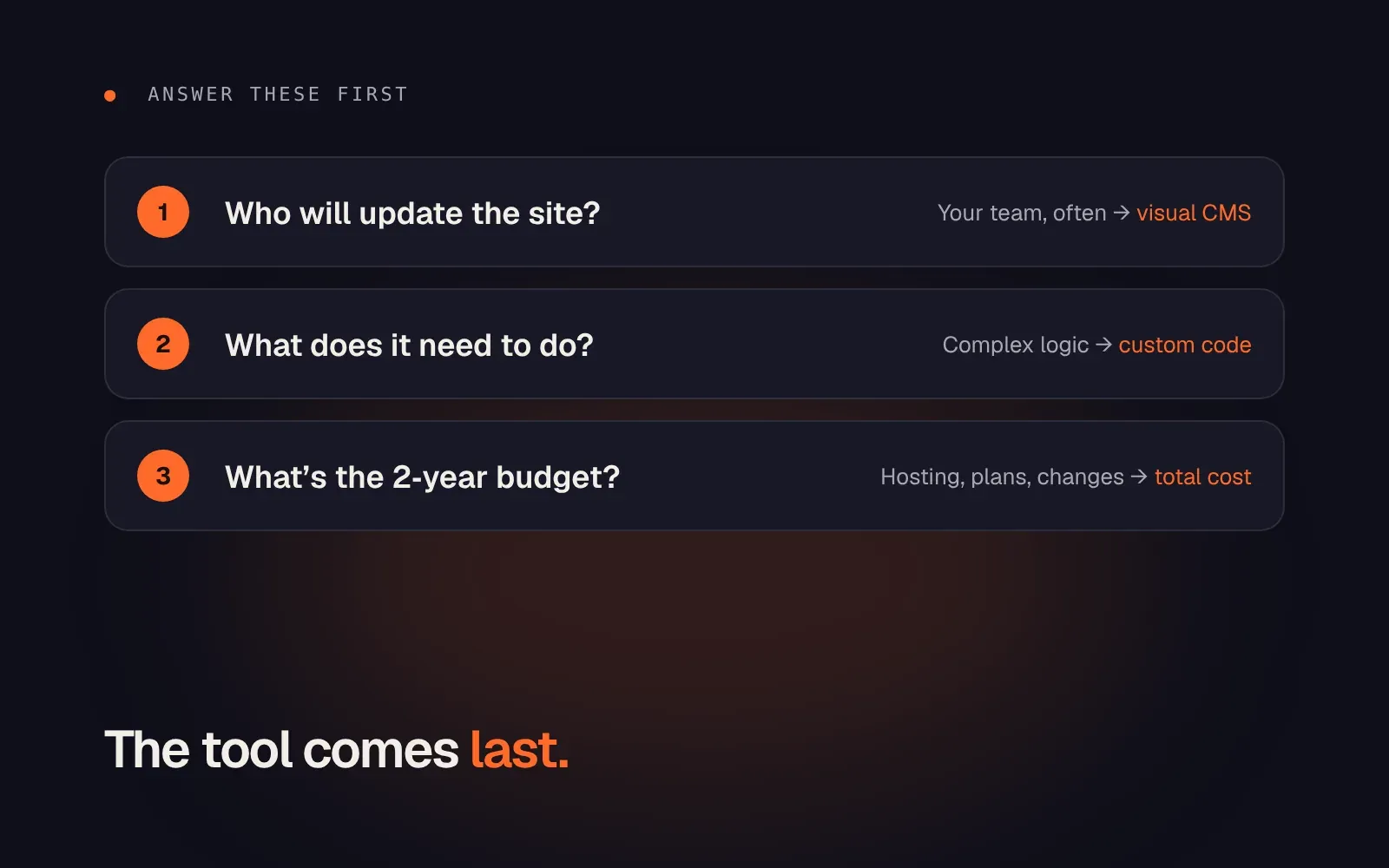
1. Who will update the site?
This is the most important one, and the most overlooked.
If your team needs to edit pages, change prices and publish blog posts without calling a developer, a visual builder like Webflow makes their life much easier. They log in, click on the text, change it, publish. No code, no waiting.
If the site rarely changes, or you already work with a developer who handles updates, this matters less. A custom-coded site can also get an easy editing panel, it’s just one more thing to set up.
Be honest here. Many businesses say “we’ll update it ourselves” and then never touch it, because the process is too clunky. Pick the setup your team will actually use.
2. What does the site need to do?
Most business websites have a simple job: explain what you do, show proof, and get people to reach out. Almost any tool handles that well.
Things change when the site needs more. Complex logic, calculators, member areas, custom integrations with your other systems, or extreme performance requirements can point towards custom code. Visual builders are flexible, but they have limits, and working around them gets messy fast.
So list what the site must do, not what would be nice someday. If everything on the list is standard, you don’t need custom code for it.
3. What’s the budget for the next two years?
Not just the build. Include hosting, platform subscriptions, plugins and the cost of making changes.
A visual builder usually comes with a monthly plan, but saves money every time you update something yourself. Custom code often has lower running costs, but every change goes through a developer. Which one is cheaper depends entirely on how often your site changes.
Looking at two years instead of the launch price gives you a much more honest comparison.
A quick side-by-side
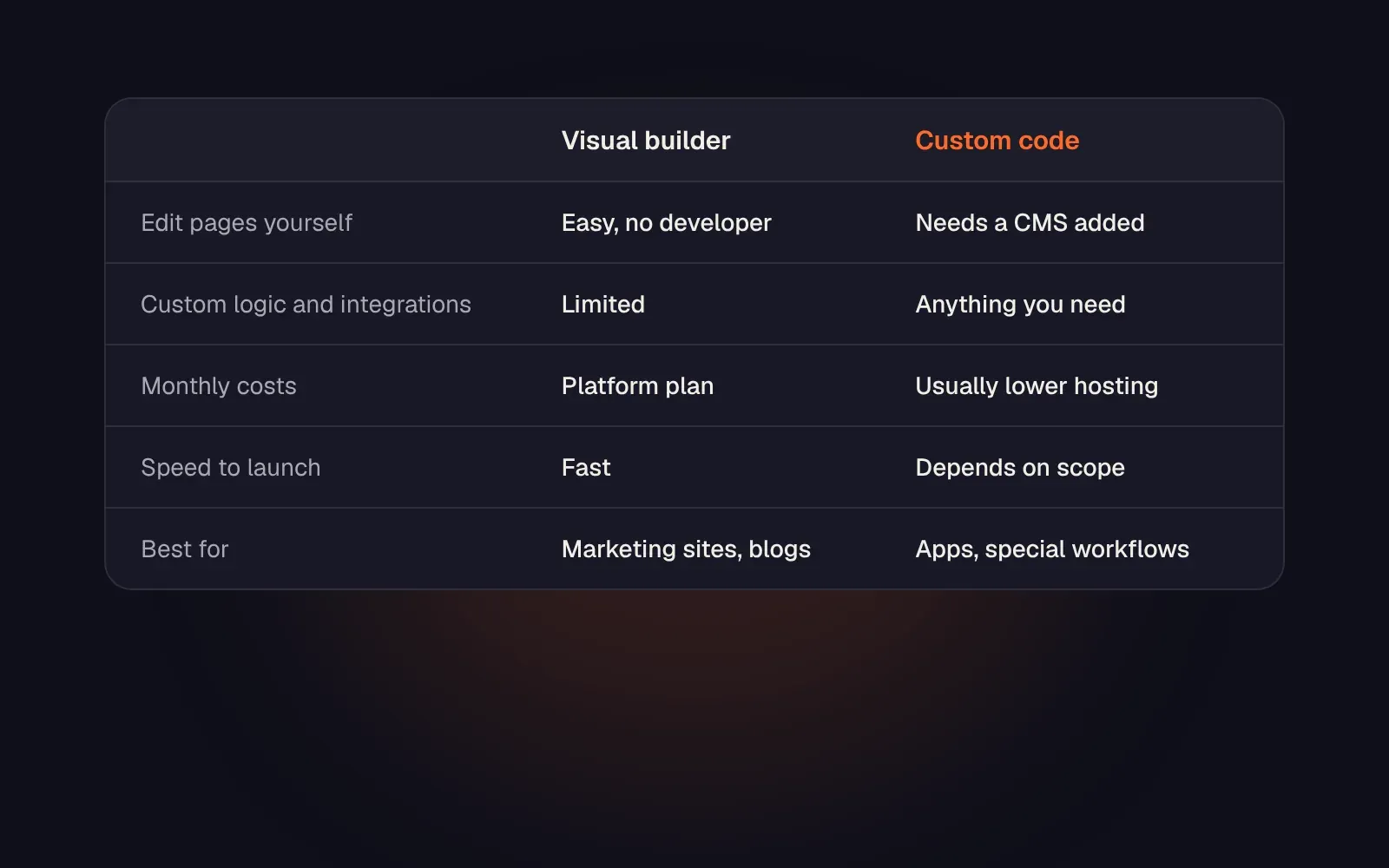
In short:
- A visual builder is a great fit for marketing sites, service businesses and blogs, especially when the team wants to update things on their own.
- Custom code makes sense for sites with special workflows, heavy integrations or features that a builder can’t handle cleanly.
Neither is the “professional” choice. A well-built Webflow site beats a badly built custom one every time, and the other way around.
The tool is the last decision
A clear structure and a clear message matter more than the platform. A confusing site is confusing in any tool. A site that answers the right questions works in any tool too.
So before you choose, get clear on who will update it, what it needs to do and what it should cost over time. Then pick what fits your business, not what your developer happens to know. Then build it properly.
Not sure which way to go? Book a discovery call. We’ll go through the three questions together, and you’ll leave with a clear answer, whichever tool it points to.